

While prepping my PyCon DE & PyData 2026 talk (slides), I wanted 150+ people to run an analytics agent against DuckDB. First plan was local inference, but even the smallest reasonable smart model is a 7GB download at minimum. No way that works on conference wifi.
Plan B: cloud API keys. Simpler, works, costs less than $2 per attendee. Now I need to hand out 150+ keys without triggering a new class of problems.
So I built a custom minter through a simple web app in Typescript.
The key-distribution problem
3 options, all bad:
One shared key. Anyone leaks it, burns the budget, no per-attendee accounting.
Attendees create their own account on the day. 5-15 minutes gone to credit card entry, verification emails, and “my phone number doesn’t work”. Some drop out because they won’t hand a card to OpenAI or Anthropic. Conference time is precious.
Pre-create keys and hand them out on cards... Maybe as swag, but can you really see attendees copying a long hash off a card?
What I actually want:
Per-attendee key, minted on demand through sign-up
Hard budget cap per key (e.g. $2 each)
Hard budget cap for the whole workshop (in case one fun person spins up 20 emails), with a clear “first come, first served” signal
Model allowlist (no burning the workshop pool on GPT-5 for fun)
Open claims at a given time and auto-expiry after the workshop
Whole flow should take less than a minute for the attendee
OpenRouter
OpenRouter is a single OpenAI-compatible API in front of every major provider.
You fund your account once, pick models by their slug (anthropic/claude-sonnet-4.6, openai/gpt-5-nano, ...), and they handle the billing split behind the scenes.
The feature that makes this work is the Management API (formerly called provisioning keys). With a management key, you can programmatically:
Mint sub-keys, each with their own
limit(USD) andexpires_atDisable a key individually
Read per-key usage
That covers bullets 1, 2, and 4 from the wishlist. Bullet 3, the model allowlist, is where I got tripped up.
Note : Hugging Face has an analogous routing layer called Inference Providers. It’s OpenAI-compatible (router.huggingface.co/v1), fronts 20+ providers (Together, Fireworks, Groq, Cerebras, Replicate, SambaNova, OpenAI, etc.), and supports provider-selection policies: :cheapest, :fastest (default), :preferred (changelog). For a workshop though, the minter story is weaker: you work with fine-grained user tokens and a monthly credit bucket.
allowlists aren’t a key-level setting
I assumed per-key settings would cover everything. They don’t. A key carries a budget and an expiry. The model allowlist lives on a separate object called a Guardrail.
To OpenRouter folks reading this: worth adding a callout about Guardrails on the API-key creation flow. I struggled to understand the model at first.
One Guardrail per workshop:
{
  "name": "workshop-pyconde-2026-darmstadt-sql-agents",
  "limit_usd": 800,
  "reset_interval": "monthly",
  "allowed_models": [
    "anthropic/claude-sonnet-4.6",
    "openai/gpt-5-nano",
    "qwen/qwen3.5-flash-02-23"
  ]
}
Keys get bulk-attached to the Guardrail after mint. OpenRouter then enforces the allowlist and the aggregate cap on every request.
Gotcha that cost me another 10min: the Management API treats guardrail attachment as a separate resource from key creation. The POST /keys payload will happily accept a guardrail_ids field and return a 200, but the key lands unbound. You have to make a second call, POST /guardrails/{id}/assignments/keys, with the key hashes. Nothing in the docs warned me; I only noticed because attendees were hitting models I hadn’t allowed.
The server-side mint flow ends up as three API calls:
const g = await ensureGuardrail({
  name: `workshop-${slug}`,
  limit_usd: workshop.openrouter.guardrail.cap_usd,
  allowed_models: workshop.openrouter.models.map((m) => m.id),
});
const key = await createKey({ name, limit, expires_at });
await assignKeysToGuardrail(g.id, [key.data.hash]);  // the one that matters
If the third call fails, the attendee still gets a working key (just unenforced) and the admin dashboard flags the row as “unbound” with a retry button. Best-effort on a non-idempotent API call.
YAML as workshop config
One file per workshop in workshops/<slug>.yaml. PR + merge + redeploy = new workshop live (when claims open) to be minted.
The Darmstadt one, trimmed:
slug: pyconde-2026-darmstadt-sql-agents
name: "SQL is Dead, Long Live SQL: Engineering reliable analytics agents from scratch"
event: PyConDE & PyData Darmstadt 2026
location: Dynamicum [Ground Floor]
starts_at: 2026-04-14T11:45:00+02:00
ends_at:   2026-04-14T14:45:00+02:00
claims_open_at:  2026-04-13T18:00:00+02:00
claims_close_at: 2026-04-14T15:00:00+02:00
is_active: true

welcome_message: |
  ## SQL is Dead, Long Live SQL 🦆
  Workshop by **mehdio** & **dumky** at PyConDE & PyData Darmstadt 2026.
  You'll get a personal workshop API key loaded with $2 of credit.

openrouter:
  budget_usd: 2.0
  key_label_prefix: pyconde-2026-darmstadt
  expires_buffer_minutes: 30
  models:
    - id: anthropic/claude-sonnet-4.6
      label: Claude Sonnet 4.6
      note: Best for the agent loop — pricier but smarter
      price_in_per_mtok: 3.00
      price_out_per_mtok: 15.00
    - id: openai/gpt-5-nano
      label: GPT-5 nano
      note: Cheapest, fast iterations
      price_in_per_mtok: 0.05
      price_out_per_mtok: 0.40
  guardrail:
    cap_usd: 800
    reset_interval: monthly

max_keys: 300
The models list is the single source of truth. It renders the pricing table on the workshop page, seeds the code-snippet tabs on the “your key” view, and drives the Guardrail’s allowed_models. One place to edit when you swap models.
claims_open_at and claims_close_at mean nobody mints a key the day before the workshop, and once the session ends + 30-minute buffer. No cron to disable the minter.
The data model
Some data was worth storing in a dedicated Postgres, emails first (yup, it’s a lead-capture asset too, fair trade right? 😈).
Two tables. That’s it.
create table attendees (
  user_id          text primary key,   -- Auth0 sub, e.g. 'google-oauth2|abc123'
  email            text not null,
  email_normalized text not null,      -- +tag stripped, Gmail dots removed
  display_name     text,
  auth_provider    text not null,      -- 'google' | 'github' | ...
  marketing_opted_in            boolean not null default false,
  marketing_opted_in_at         timestamptz,
  marketing_opted_in_workshop   text,  -- slug where consent was given
  first_seen_at    timestamptz not null default now(),
  last_seen_at     timestamptz not null default now()
);

create table workshop_attendance (
  user_id               text not null,
  workshop_slug         text not null,
  or_key_hash           text not null,
  or_key                text not null,  -- plaintext, on purpose (see below)
  key_label             text not null,
  limit_usd             numeric not null,
  expires_at            timestamptz not null,
  or_guardrail_id       text,
  guardrail_attached_at timestamptz,
  usage_usd             numeric not null default 0,
  usage_synced_at       timestamptz,
  attended_at           timestamptz not null default now(),
  primary key (user_id, workshop_slug)
);
Two choices worth calling out:
The key is stored plaintext. OpenRouter shows the key exactly once at mint time. If I hash it, the attendee who refreshes their browser is locked out. Blast radius of a DB leaking is bounded: every key is capped at $2, expires 30 minutes after the workshop, and only works against the Guardrail’s allowed models. Rather take that trade than deal with 30 “I lost my key” DMs during the session.
Other gotcha: I was pulling API key usage live, but the UI and the API expose it through different endpoints. Better to save usage to the DB, then you can easily show how much each project consumed.
Demo
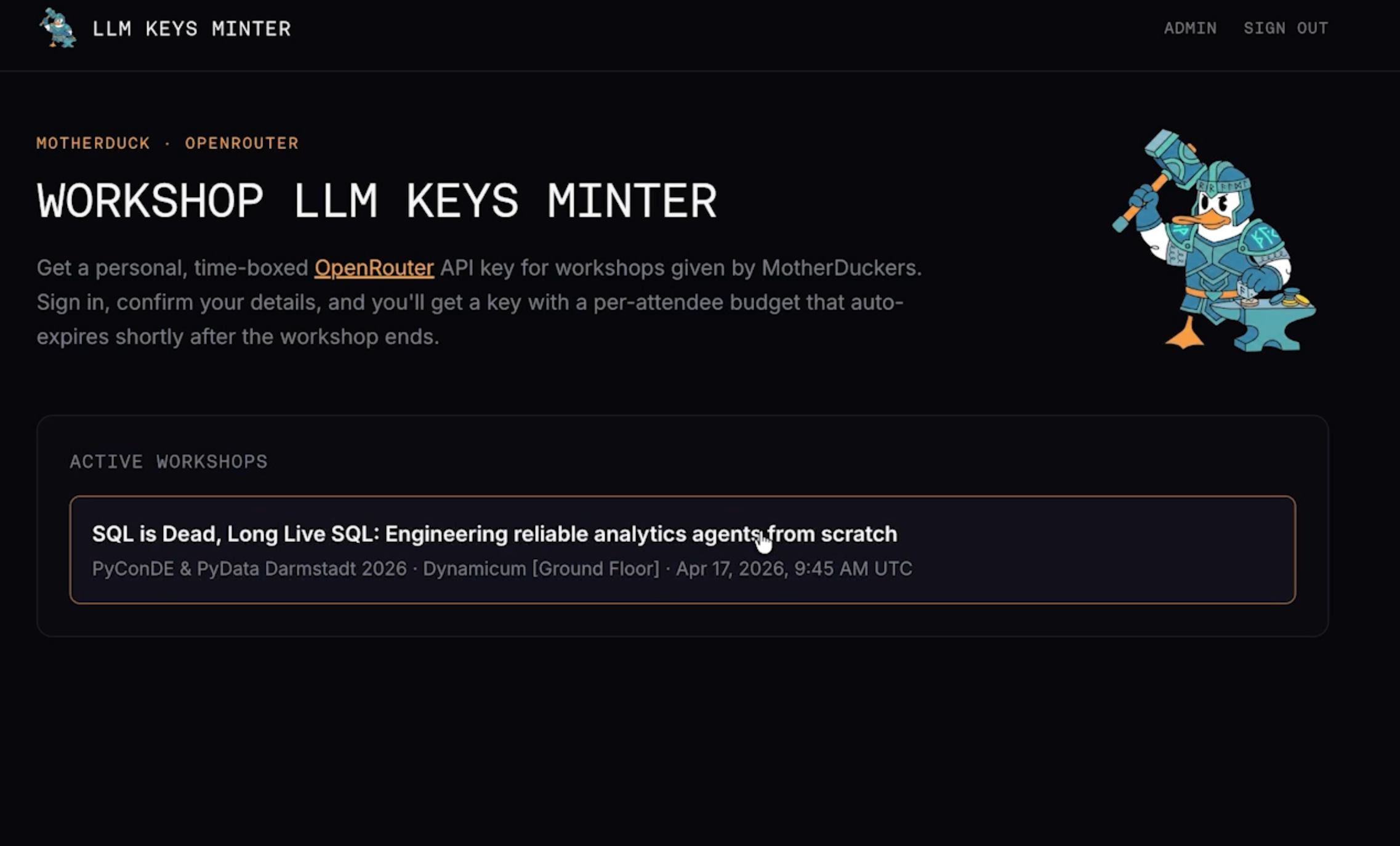
Home page when an active workshop is on. The user clicks to sign in and claim a key.
The workshop page:
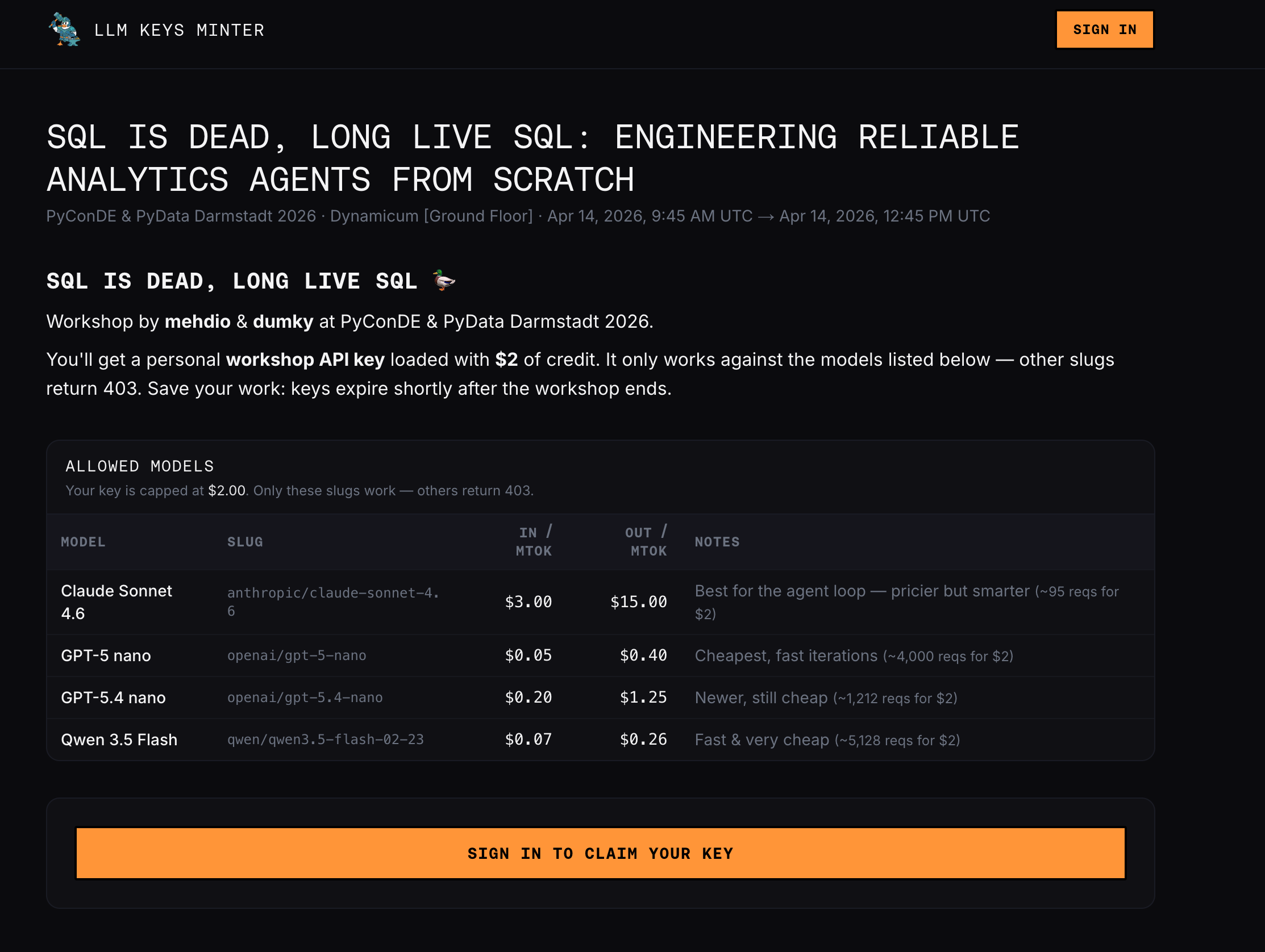
Once logged in, the user sees the authorized models, their prices, and code snippets to get started.
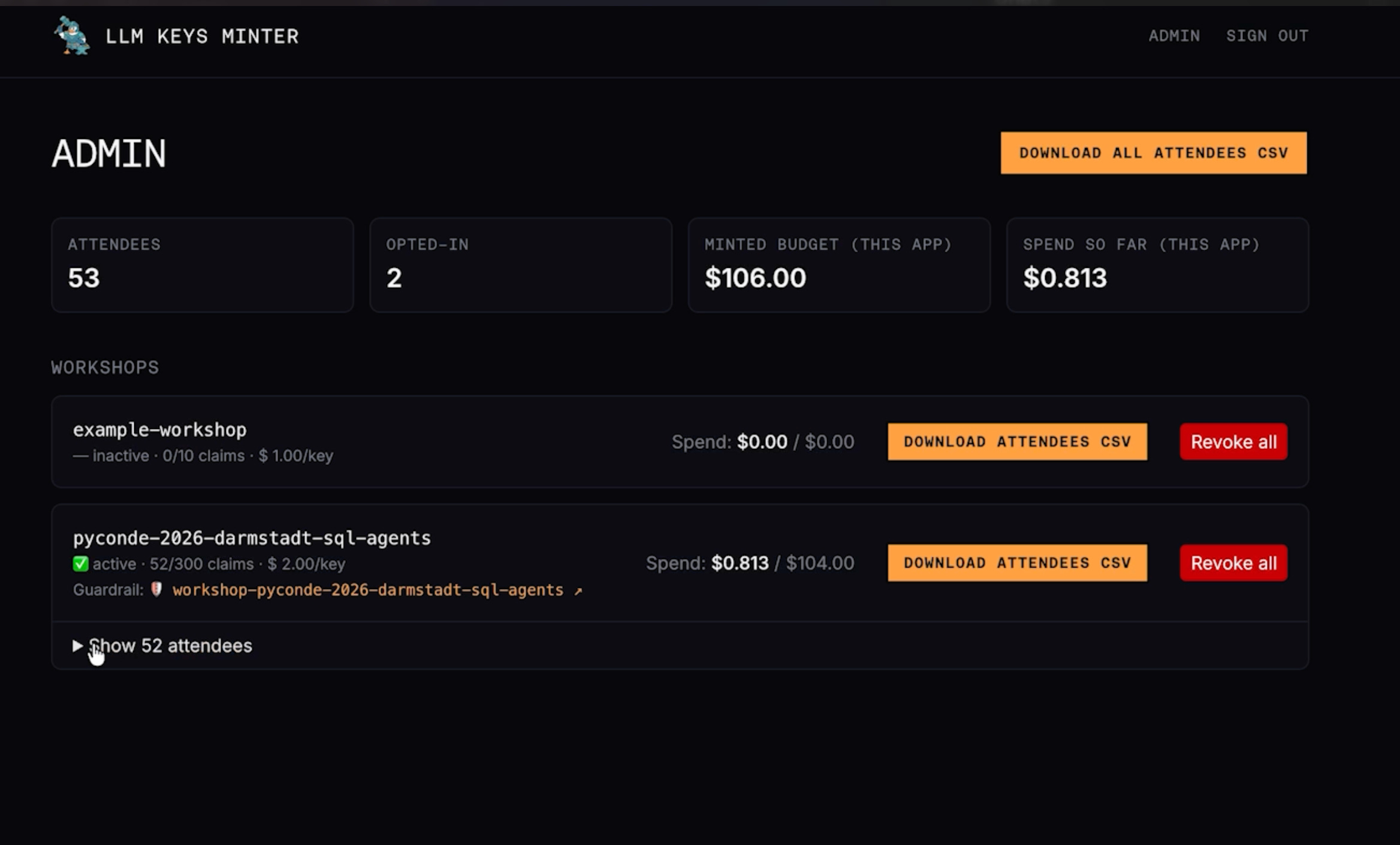
And the admin view of the Guardrail on OpenRouter: allowed models and monthly cap in one place.
Build your own!
It’s a small project with some MotherDuck-specific bits (brand, auth provider, etc).
But with the info in this post, any AI coding agent can scaffold a version from the prompt here.
Key design takeaways:
YAML per workshop in the repo, bundled at build time. Pull requests are the admin UI.
OpenRouter Management API for key minting. One funded account, programmatic sub-keys.
Guardrails for the allowlist, not per-key settings. And remember the separate
assignments/keyscall:POST /keyssilently ignoresguardrail_ids.Sign-in (any OIDC provider). The email confirmation step doubles as a consent moment for a marketing opt-in.
Store the key plaintext. Blast radius is bounded by budget + expiry + guardrail. Hashing creates a support problem, not a security win.
Conclusion
Another company running a workshop at the same PyCon, tower.dev, hit exactly this challenge and built a near-identical solution in parallel. Two data points is a pattern: a branded page with real auth, per-attendee bounded keys, and admin visibility is now table stakes for any AI or agent workshop. “Print 100 keys and hand them out” doesn’t cut it past about 10 attendees.
If you’re prepping an agent workshop for 2026: build the minter first. Budget one afternoon with an AI coding agent and this post.
The code is (now) the boring part.